How to Write Meta Description Best suited for SEO
Search Engine Optimization (SEO) is no longer just about inserting a keyword into your content and hoping for higher rankings. Today, SEO success requires a deeper understanding of how search engines analyze your site’s structure, metadata, and performance. Among the various factors that influence ranking, one element often underestimated is the Meta Description. In this tutorial, we will explore how to use Webmaster Tools—specifically Google Search Console—to enhance your SEO, optimize technical performance, and write effective descriptions that drive clicks.
By the end of this article, you’ll understand not just how to navigate Webmaster Tools but also how to craft metadata that complements your SEO strategy.

Understanding Webmaster Tools and Their SEO Value
Webmaster Tools, better known today as Google Search Console, provides a free yet powerful set of features for analyzing and optimizing websites. These tools let you see how your site performs in Google Search, identify technical errors, and measure the impact of your SEO strategy.
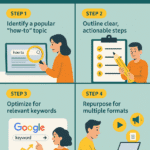

Some of the most important features include:
Performance Reports: Measure impressions, clicks, and average position of your site in search results.
Index Coverage: Detect which pages are indexed and which face issues.
Mobile Usability: See how mobile-friendly your site is.
Enhancements: Check structured data, breadcrumbs, and rich results eligibility.
For SEO beginners, one of the best ways to start is by looking at which queries bring traffic. From there, you can adjust your titles and Meta Description to better match user intent.
Related Resource: If you want to dive deeper into the SEO basics for beginners in2025, this step-by-step guide can help you understand the foundation before mastering advanced Webmaster Tools.
Meta Description: Why It Matters in Webmaster Tools
The Meta Description plays a critical role in improving your website’s Click-Through Rate (CTR). While Google doesn’t use it directly as a ranking factor, a compelling description helps convince users to click your link instead of a competitor’s.
Webmaster Tools helps here by showing you:
The queries where your pages appear.
The click-through rate for each page.
Whether your Meta Description is aligned with search intent.
By analyzing this data, you can refine your descriptions for maximum impact. For instance, if a page ranks well but has a low CTR, rewriting the description with a clearer benefit statement or emotional hook could boost clicks significantly.
You can also explore this article on SEO tips for good content specification in search engines for more practical insights.
Using Webmaster Tools to Optimize Meta Tags
Meta tags—including title tags and Meta Description—are the first things users see in search results. Webmaster Tools allows you to track how these elements perform.
Here’s how to optimize them step by step:
Check Search Performance: Go to “Performance” in Webmaster Tools to see impressions, CTR, and position for each page.
Identify Underperforming Pages: Look for high impressions but low CTR. This usually signals a weak title or description.
Rewrite Meta Description: Include a keyword, highlight benefits, and keep it between 150–160 characters.
Validate with Enhancements Reports: Ensure there are no duplicate descriptions or missing tags.
For a technical breakdown, check out this related tutorial on How to make meta tags in your site optimized to SEO.
Technical SEO Insights from Webmaster Tools
Beyond descriptions, Webmaster Tools provides insights into the technical side of SEO:
Crawl Errors: Fix broken links and ensure Googlebot can access your site.
Index Coverage Issues: Resolve “Crawled – currently not indexed” warnings.
Mobile Friendliness: Essential since Google uses mobile-first indexing.
Page Speed and Core Web Vitals: Improve user experience by optimizing load time.
Each technical issue directly or indirectly affects how your Meta Description is displayed. For example, if your page isn’t indexed due to errors, your description won’t even appear in search results.
For understanding competitive SEO shifts, check this resource: Top 5 Competitive SEO Factors in 2025 That Will Redefine.
Leveraging Keywords and Meta Description Together
Keywords remain at the heart of SEO. By analyzing keyword data in Webmaster Tools, you can determine which terms deserve to be included in your page’s Meta Description.
Best practices include:
Using the primary keyword once in the description.
Adding secondary terms naturally.
Ensuring readability and persuasion.
For instance, if you run a digital marketing blog, instead of writing “We offer SEO tips,” you could use: “Boost your rankings with our step-by-step SEO guide, including expert strategies and a powerful Meta Description formula.”
Maximizing Traffic with Webmaster Tools Insights
Once your metadata and keywords are optimized, use Webmaster Tools to monitor traffic growth. Combine this with other SEO tactics such as link building, structured data, and content optimization.
You can also experiment with different descriptions and track their CTR over time. This data-driven approach helps you refine not only metadata but also overall content strategy.
For broader strategies, check this article: The Ultimate Guide to Getting Free Traffic: 7 Proven Strategies to Grow Your Website in 2025.

FAQs About Webmaster Tools and Meta Description
Q1: Does Google always show the Meta Description I write?
Not always. Google sometimes rewrites descriptions based on user queries, but a well-written one increases the chance it will display.
Q2: How long should a Meta Description be?
The recommended length is 150–160 characters. Longer ones may get truncated.
Q3: Can Webmaster Tools show me if my Meta Descriptions are effective?
Yes. The Performance report shows CTR, which helps you evaluate description quality.
Q4: Are Meta Descriptions a direct ranking factor?
No, but they strongly influence CTR, which indirectly improves rankings.
Q5: Should I use keywords in Meta Descriptions?
Yes, but sparingly. Overstuffing hurts readability and may lower CTR.
Q6: How often should I update Meta Descriptions?
Review them quarterly, especially for high-traffic pages, to align with evolving user intent.
Conclusion
Webmaster Tools is more than just a diagnostic tool—it’s your roadmap to SEO success. From analyzing queries to improving technical health, every feature contributes to a stronger online presence. The Meta Description is your digital ad copy, enticing users to choose your link over thousands of others. By mastering both Webmaster Tools and metadata, you can transform impressions into measurable traffic growth.