Improve TikTok Audio Quality Like a Pro – Top Mobile Tips That Work
Have you ever wondered why some TikToks go viral while others disappear into the feed? Could it be your video quality, your lighting—or maybe something you’re overlooking entirely? The truth is, if your audience can’t hear you clearly, they won’t stick around. And in a platform that rewards seconds of attention, poor sound can be the difference between views and skips.
That’s why learning how to improve TikTok audio quality using only your phone isn’t just a nice-to-have—it’s essential. Whether you’re sharing personal stories, tutorials, or daily vlogs, great sound draws people in and keeps them listening.
The good news? You don’t need a full studio setup to sound professional. With just a few simple tools, smart settings, and some clever tricks, you can upgrade your TikTok audio starting today. Want proof? Check out this list of free video editing apps that can help you clean up audio fast—all from your phone.


Start With the Basics: Use the Right Gear
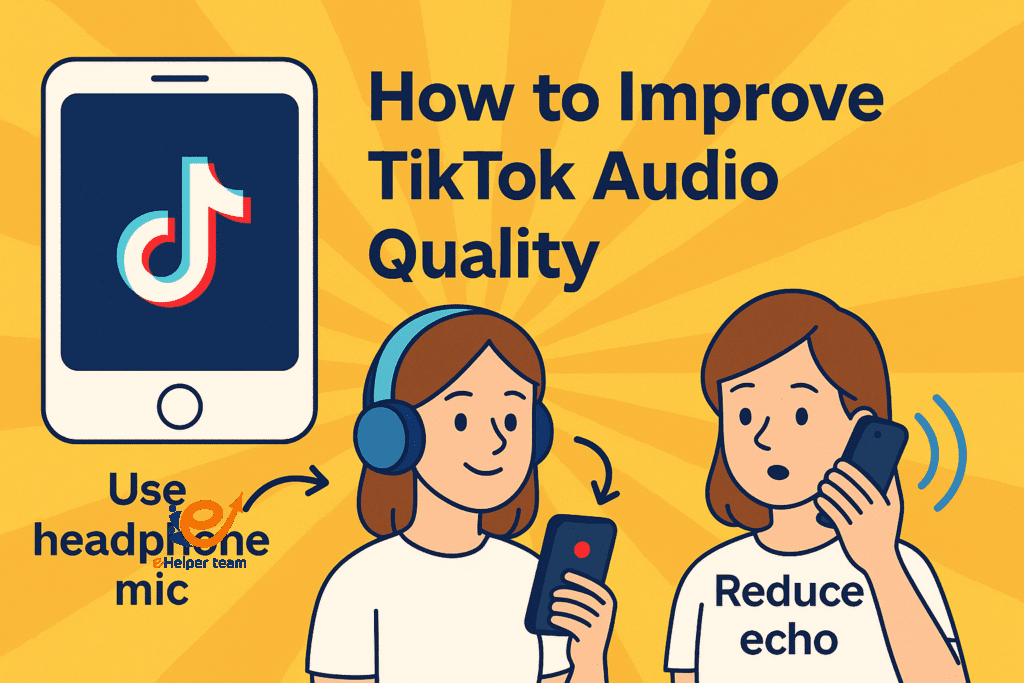
Using Headphone Mic Instead of Built-in Mic
If you’re recording with your phone’s built-in mic, you’re already at a disadvantage. These microphones are made for convenience—not clarity. One of the fastest ways to improve TikTok audio quality is by simply plugging in a headphone mic. It’s closer to your mouth, filters out background noise better, and boosts vocal clarity.
Most wired earbuds (like those that come with your iPhone or Samsung) have surprisingly decent mics. Just be sure to position the mic close to your chin and avoid rubbing it against your shirt.
Best Budget-Friendly Microphones for Mobile Users
For those ready to invest a little more, consider clip-on lapel mics like the Rode SmartLav+ or BOYA BY-M1. These are affordable, portable, and plug directly into your phone’s audio jack or lightning port. They’re a great step up from headphone mics and ideal for interviews, commentary, or outdoor scenes.
Optimize Your Recording Environment
Reducing Echo in Any Room
Echo is the silent killer of clean audio. To reduce it, record in rooms with soft materials—think rugs, curtains, and cushions. Avoid empty kitchens or bathrooms with hard surfaces. Want to go one step further? Throw a blanket over your head and record—a trick many podcasters use to deaden room reverb.
Avoiding Wind Noise During Outdoor Shoots
Wind can destroy a recording in seconds. Use a simple foam windscreen or “dead cat” cover if you’re filming outside. Alternatively, block the wind by standing next to a wall, tree, or car. Even cupping your hand around your phone’s mic helps in a pinch.
Pro Tips to Improve TikTok Audio Quality in Post
Use the Voice Memo App Trick to Capture Clean Sound
Here’s a smart trick: record your voice using your phone’s voice memo app, then sync it later during editing. This bypasses TikTok’s compressed audio and gives you a clean, high-fidelity voice track. Once recorded, import it into your editing app, align it with your video, and enjoy the boost in quality.
Best Audio Settings for iPhone and Android
On iPhone, go to Settings > Camera > Record Video and select a higher resolution that supports stereo sound (like 4K at 30fps). For Android, look for advanced audio options in your camera or voice recorder app. You may also install third-party apps like Open Camera, which gives you manual audio controls.
Edit Like a Pro – Even on Your Phone
Free Video Editing Apps That Level Up Your Sound
Apps like CapCut, InShot, and VN Editor let you add music, adjust volume levels, and apply fade-in or noise reduction—right on your phone. These tools are perfect for creators who want to polish their sound without exporting files to a desktop. Here’s a quick guide on the best editing apps for TikTok and Reels.
How to Sync Voice and Video Perfectly in CapCut
CapCut is a favorite among TikTokers, and for good reason. It allows for precise audio syncing, background noise removal, and even automatic captions. Learn how to get started with this full CapCut tutorial for TikTok.
What Not to Do: Common TikTok Audio Mistakes
Recording in noisy public spaces
Not checking volume levels before uploading
Using music too loud under your voice
Forgetting to use airplane mode during voiceover
Real-World Audio Fixes: Case Study for Budget Creators
Creators using phones alone can still sound amazing with smart techniques. For instance, one creator with just a $10 mic and a free editing app doubled their average watch time. The difference? Better sound quality.
More tips like these can be found in this article on sounding great using a cheap mic.
Boost Engagement with Crisp Sound
How Good Audio Helps Increase Watch Time and Completion Rate
TikTok’s algorithm favors completion rate, and guess what? Users are more likely to finish watching if they hear you clearly. Clear sound builds trust and authority. Poor audio does the opposite—it distracts, frustrates, and causes viewers to scroll away.
This guide explains more on how audio quality impacts watch time and offers extra hacks to keep viewers engaged.
Scripting Your TikToks for Better Audio
Surprisingly, what you say—and how you say it—also affects how your audio is perceived. Here’s how to structure your speech for clarity and impact.
Speak in short, energetic phrases. This helps you avoid trailing off or mumbling.
Pause slightly between thoughts. It makes editing easier and audio crisper.
Practice before recording. Reading off a script naturally and confidently ensures your voice tone is consistent.
Using these strategies can elevate your overall presentation, which pairs perfectly with improved audio fidelity.
Comparing Audio Tools and Strategies
Here’s a quick comparison of common tools and techniques for TikTok audio:
| Method | Cost | Skill Level | Effectiveness |
|---|---|---|---|
| Built-in Phone Mic | Free | Beginner | Low |
| Headphone Mic | Free / Low | Beginner | Medium |
| External Lavalier Mic | $10–$60 | Intermediate | High |
| Voice Memo App | Free | Intermediate | High |
| Audio Processing Apps | Free–$5 | Intermediate | Very High |
| CapCut Audio Tools | Free | Beginner | Medium–High |
This table highlights how even budget or free tools, when used correctly, can significantly improve TikTok audio quality—no expensive setup required.
Why Audio Affects Your TikTok Reach
We often talk about visuals, trends, and captions on TikTok—but sound is one of the few elements that directly influences both watch time and engagement rate.
Videos with poor audio have up to 40% lower completion rates
Clear sound improves viewer trust and attention span
TikTok’s algorithm gives priority to content that performs well in early seconds—where clean audio counts most
By improving your audio, you increase the chances that your video is rewatched, shared, or saved—actions that boost its reach significantly.
Creative Uses of Audio in TikTok
Not every TikTok video relies on talking or voiceovers—some creators use music, sound effects, or even silence creatively. Here’s how sound design can work in your favor:
Sound Effects: Add emotion or humor with subtle sound cues
Intentional Silence: Creates dramatic effect or focus
Voice Layering: Record multiple vocal tracks to add dimension
Custom Audio Mixes: Combine music with voiceovers to tell a story
Experimenting with different types of audio helps you stand out in the sea of content and gives your audience something memorable.
Audio & Accessibility: Captions Matter Too
While focusing on audio quality, don’t forget about users who may not be able to hear well—or at all. Add accurate, clear captions to your videos using TikTok’s auto-caption feature or in CapCut.
Captions don’t just improve accessibility—they can actually increase watch time, especially in public places where people scroll with sound off.
How TikTok Trends Influence Audio Choices
TikTok is trend-driven, and that includes audio trends. Using trending sounds can give your video a boost in visibility, but combining that trend with clean, original audio in overlays or intros helps you stand out even more.
Here’s a tip: start with a 1–2 second clean voice intro, then shift into the trending sound. This dual-layered approach makes your video more personalized without ignoring the algorithmic benefits of popular sounds.
Call to Action: Ready to Sound Better?
If you’ve made it this far, you’re clearly ready to step up your TikTok game. Now’s the perfect time to take control of your sound:
Try recording your next TikTok with a voice memo and syncing it
Download a free editor like CapCut or AudioLab and explore its audio tools
Test different rooms for echo reduction and pick your best spot
Great audio is no longer a luxury—it’s a standard. And with these techniques, you’re now equipped to sound as good as you look.
FAQs
Q1: Can I use my phone’s built-in mic for TikTok videos?
Yes, but using a headphone mic or external lavalier mic is strongly recommended for clearer audio.
Q2: How do I reduce background noise while filming on my phone?
Film in a quiet room, use an external mic, and enable noise reduction in your editing app.
Q3: What’s the best free app for editing TikTok audio?
CapCut is one of the best free apps, offering features like noise cancellation, syncing, and voice overlays.
Q4: Should I record my voice separately from my video?
Yes—using the voice memo trick gives you higher quality audio and better control in editing.
Q5: Does good audio really improve TikTok performance?
Absolutely. Clear sound keeps viewers engaged longer, which boosts your chances on TikTok’s algorithm.
Final Thoughts and Summary
Improving your TikTok sound isn’t about fancy gear—it’s about smart choices. Whether you use a simple headphone mic, a quiet room, or powerful free apps, great audio is within reach. So why settle for muffled or echoey sound when a few easy tricks can make you sound like a pro?
Want to improve TikTok audio quality today? Start with your phone, use the tools you already have, and let your voice be heard—clearly.


