WordPress Tutorials
WordPress Tutorials is your practical guide to mastering WordPress — the world’s leading website platform. Learn what WordPress is, how it works, which plugins to use, and how to build, manage, and grow your site. Whether you’re a beginner or experienced user, this section provides clear, concise answers to the most important WordPress questions.
-

Create htaccess file WordPress step by step
Behind every smooth-running WordPress website lies a small but powerful file known as theCreate htaccess file WordPress . Despite its size, this file has a major impact on how your website behaves, loads, and protects itself from potential threats. Whether you’re a developer or a beginner trying to improve your site’s performance, learning how to create a .htaccess file for…
Read More » -

All you need to know about Magento WordPress
If you’ve ever wondered how to combine the content flexibility of WordPress with the eCommerce power of Magento, you’re not alone. The demand for Magento WordPress integration has skyrocketed among online businesses in 2025, and for good reason — it merges the world’s most popular CMS with one of the most robust eCommerce platforms. Before diving deeper, it’s worth reading…
Read More » -

WordPress and WooCommerce to create an online store
WooCommerce is the ultimate duo for building successful online stores. Together, they combine flexibility, scalability, and affordability, giving business owners full control over their eCommerce journey. Whether you’re selling handmade crafts, digital downloads, or international products, this powerful pair provides all the tools needed to design, manage, and grow your business efficiently. For newcomers, setting up WordPress and WooCommerce may…
Read More » -

Top 3 Web Hosting For WordPress you can choose
When you’re building a WordPress website, the Web Hosting for WordPress you choose plays a huge role in its success. From performance and uptime to security and scalability, your host is the backbone of your site. A powerful and reliable hosting service ensures faster page loading, higher SEO rankings, and better visitor retention. Whether you’re launching a personal blog, an…
Read More » -

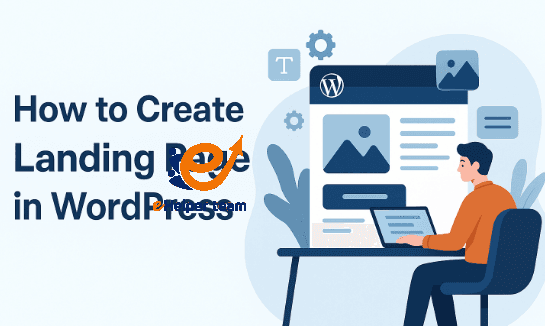
How to create a landing page in WordPress
Creating a landing page in WordPress has become an essential strategy for businesses aiming to capture leads and boost conversions. Whether you’re a marketer, freelancer, or small business owner, knowing how to create a landing page in WordPress gives you a competitive edge in digital marketing. A landing page acts as the digital front door to your brand—where visitors decide…
Read More » -

AMP on WordPress – 3 techniques to active it
In today’s fast-paced digital world, every second counts. Visitors expect a website to load instantly, and search engines reward speed with better rankings. That’s where AMP on WordPress (Accelerated Mobile Pages) comes in — a technology designed to create lightweight, super-fast versions of your web pages for mobile devices. Google introduced AMP to improve user experience, especially on mobile search…
Read More » -

Best WordPress plugins for social media – The top 5
In today’s digital landscape, the Best WordPress plugins for social media aren’t just an add-on — it’s a growth engine. Whether you run a blog, an eCommerce store, or a corporate site, integrating social media tools into your WordPress website is essential for building engagement, driving traffic, and strengthening brand presence. That’s why choosing the Best WordPress plugins for social…
Read More » -

WP super cache plugin – How to install ?
Speed and performance are essential factors in today’s digital landscape. A slow WordPress website not only frustrates visitors but also affects your ranking on Google. One of the best tools to handle this challenge is the WP Super Cache plugin, a free caching plugin developed by Automattic that turns your dynamic WordPress pages into static HTML files. This dramatically improves…
Read More » -

Broken images – Let’s solve it with 12 Steps
Have you ever opened your website and seen little gray boxes or empty icons where images should be? Those are broken images, and they can seriously harm your site’s reputation and ranking. A missing image doesn’t just look unprofessional — it damages your SEO, reduces visitor trust, and increases your bounce rate. In 2025, when visual content drives more than…
Read More » -
Gutenberg plugin WordPress Let’s Disable it & Enable classic Editor
When WordPress introduced the Gutenberg plugin WordPress Gutenberg Plugin, it brought a completely new way of creating and designing content. This modern block editor aimed to simplify the process for non-developers, offering visual flexibility and customization. However, for many content creators, Gutenberg felt less intuitive and slower than the traditional editor. Writers and developers who prioritize speed and familiarity often prefer…
Read More »