Why Choosing the Best Budget Camera for YouTube Matters
Have you ever searched for the best budget camera for youtube and wondered if it’s possible to get professional results without spending a fortune? In today’s digital age, quality video content has become one of the most effective ways to share ideas, build a personal brand, or even launch a profitable online business. But many beginners hesitate, thinking they must invest thousands of dollars just to get started.
The reality is, you can produce stunning videos on a budget if you choose wisely. With so many options now available — from compact cameras and mirrorless models to smartphones that rival professional gear — there’s never been a better time to start your creative journey. The key is to balance performance, price, and ease of use while focusing on what truly matters: your content and storytelling.
In this guide, we’ll explore the five top-performing cameras under $500 that are perfect for beginners. Along the way, you’ll also learn how to make the most of your purchase, whether you’re interested in a sony zv-1f review, testing a canon m50 for video, or debating using a smartphone vs. a camera. Let’s dive in and find the gear that will help your channel shine.



Why Choosing the Best Budget Camera for YouTube Matters
When building a YouTube channel, the tools you choose play a major role in shaping your content’s success. Among them, your camera can be the deciding factor in how professional and engaging your videos appear. Here are key reasons why your choice of camera matters:
Video quality is often the first element viewers notice and can determine your channel’s success or failure.
While lighting, sound, and editing are equally important, the camera sets the foundation for your visuals.
A sharp image, accurate colors, and smooth frame rates convey professionalism and build audience trust.
Modern digital cameras (digital camera) offer incredible value for money, even at budget prices.
Many affordable models now feature 4K recording, image stabilization, and advanced autofocus.
With the right setup, you can produce content that looks as good as top channels on YouTube.
The Best Budget Camera for YouTube in 2024 — Top 5 Picks
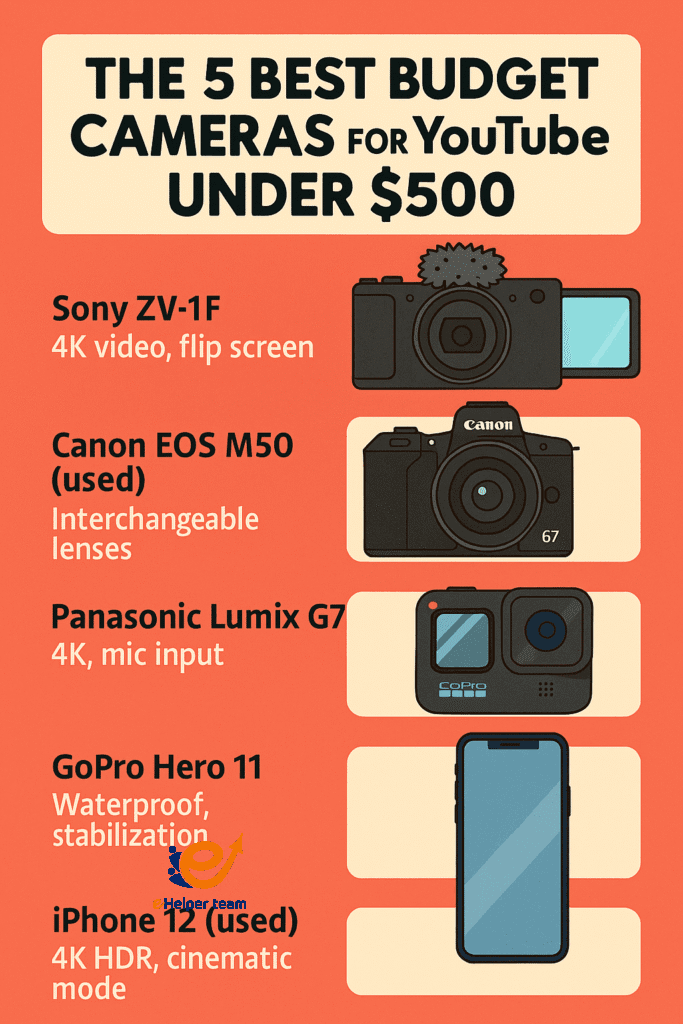
Here’s our carefully curated list of the top-performing budget cameras under $500.
| Camera Model | Price Range | Key Features | Best For |
|---|---|---|---|
| Sony ZV-1F | $500 | 4K video, flip screen, compact design | Vlogging & travel |
| Canon EOS M50 (used) | $450 | Interchangeable lenses, 1080p/4K | Multi-purpose creators |
| Panasonic Lumix G7 | $450 | 4K, mic input, good low light | Tutorials & interviews |
| GoPro Hero 11 | $399 | Waterproof, stabilization | Action & outdoor |
| iPhone 12 (used) | $400 | 4K HDR, cinematic mode | Beginners & portability |
The Sony ZV-1F is designed with vloggers in mind. Its compact body, flip-out screen, and superior autofocus make it ideal for solo creators. While it sits at the top of the $500 range, its video quality rivals much more expensive cameras.
Canon M50 for Video — A Beginner-Friendly Powerhouse
The Canon EOS M50 offers excellent image quality, dual-pixel autofocus, and the flexibility of interchangeable lenses. For under $500 (used), it’s a versatile choice for those who want room to grow.
Using a Smartphone vs. a Camera
Modern smartphones are more capable than ever, often rivaling dedicated cameras for casual content creation. However, a dedicated camera offers better ergonomics, more lens options, and superior performance in low light.
If you’re just starting, you can even combine a smartphone setup with other monetization tips like those found in this passive income guide to fund a future camera upgrade.
Best Camera Settings for Video — Unlocking Professional Quality
No matter which camera you choose, settings can make or break your footage. Here are three basics:
Frame Rate: 24fps for cinematic, 30fps for general use, 60fps for smooth motion.
Resolution: Always aim for at least 1080p; 4K if available.
White Balance: Match lighting conditions to avoid unnatural colors.
Real-World Case Study — Growing with a Budget Camera
Emma, a UK-based cooking channel creator, started with a $400 Panasonic Lumix G7. She focused on good lighting, clean audio, and consistent uploads. Within eight months, her subscriber count grew to 15,000, proving that the right camera, even on a budget, can deliver professional results.
Additional Tools to Complement Your Camera
Even the best budget camera benefits from a few accessories:
External microphone for better audio.
Affordable LED lighting kit.
Tripod or stabilizer for steady shots.
Before FAQs: For more inspiration on creating content without appearing on camera, check out these faceless YouTube channel ideas.
Advanced Tips for Maximizing Your Budget Camera’s Potential
1. Optimize Your Shooting Environment
Even the most affordable camera can produce cinematic results if your shooting environment is optimized.
Lighting Control: Block unwanted light leaks from windows with blackout curtains.
Background Choice: Keep it clean and relevant to your niche to avoid distracting the viewer.
Soundproofing Hacks: Use heavy blankets or strategically placed rugs to reduce echo without spending on professional acoustic panels.
2. Build a Mini Content Creation Kit
Beyond the camera, assembling a portable kit ensures you can film anywhere without compromising quality.
Recommended Kit Items:
Compact tripod with fluid head for smooth panning shots.
Foldable LED light panel with adjustable temperature.
Clip-on lavalier mic for clear voice recording.
Spare batteries and memory cards to avoid interruptions.
3. Leverage Free & Low-Cost Editing Tools
Post-production can elevate your content dramatically. Free tools like DaVinci Resolve offer color grading, audio cleanup, and motion graphics features found in high-end software.
Use LUTs (Look-Up Tables): Quickly apply professional-grade color styles.
Noise Reduction: Clean up audio to make your voice crisp and clear.
Slow Motion & Timelapse: Add creative flair without extra cost.
4. Develop a Multi-Platform Content Strategy
Don’t limit your videos to just YouTube, Repackage your footage for other platforms:
Short Clips for TikTok and Instagram Reels: Highlight engaging moments to attract a wider audience.
Pinterest Pins: Create vertical thumbnails linking back to your videos.
Facebook Groups: Share your videos in niche communities to increase discoverability.
5. Collaborate with Other Creators
Partnerships can expand your reach without spending a dime on ads. Find creators in your niche with a similar audience size and collaborate on themed content, product reviews, or challenges. This brings mutual exposure and shared credibility.
6. Plan for Future Upgrades Strategically
Your first budget camera might not be your forever camera. Keep track of what limits your creativity most — whether it’s low-light performance, lack of slow-motion capability, or lens options — and plan your next investment based on actual needs, not hype.
7. Analyze Your Performance and Adapt
Use YouTube Analytics to monitor:
Audience Retention: See where viewers drop off and adjust your editing pace accordingly.
Traffic Sources: Double down on platforms bringing the most viewers.
Engagement Rate: Refine your call-to-action placement to encourage likes, comments, and subscriptions.
8. Learn from Successful Budget Creators
Study channels that grew with minimal equipment. Observe their filming style, editing rhythm, and how they interact with their audience. Apply similar methods while keeping your unique voice.
9. Utilize Stock Elements Wisely
Incorporating free stock footage, background music, and sound effects can add polish to your videos. Always ensure you use royalty-free resources to avoid copyright issues.
10. Maintain Your Gear for Longevity
Even budget gear can last years if cared for properly.
Store cameras in dry, dust-free spaces.
Regularly clean lenses with microfiber cloths.
Update firmware for better performance and bug fixes.
FAQs
Q1: Is a smartphone good enough for YouTube?
Yes, modern smartphones are highly capable, but a dedicated camera often gives you better control and image quality.
Q2: Which camera is best for beginners under $500?
The Sony ZV-1F and Canon EOS M50 are excellent starting points.
Q3: How important is 4K video?
4K offers more detail and flexibility in editing, but 1080p is still perfectly fine for most viewers.
Q4: Can I use action cameras for vlogging?
Yes, but they work best for outdoor and active filming styles.
Q5: What’s the most important setting for video quality?
Lighting and exposure settings often make the biggest difference.
Conclusion
Finding the best budget camera for YouTube in 2024 is about matching your creative needs with the right features at the right price. Whether you choose a Sony ZV-1F for portability, a Canon M50 for flexibility, or even a used iPhone for convenience, the key is to start creating now. Pair your choice with good lighting, clear audio, and compelling content, and you’ll be well on your way to building an engaged audience.
For additional cost-saving production tips, see this budget streaming setup guide.


