Establish a website by 4 fundamental steps
In today’s digital-first world, the ability to establish a website has become a fundamental skill for businesses, creators, and professionals alike. Whether you’re launching a startup, showcasing your portfolio, or building an e-commerce platform, your website acts as your digital identity — the first impression that tells the world who you are.
But where do you start? The process may sound complex, but in reality, it all comes down to four strategic steps that form the backbone of every successful website. These are: planning, design, development, and optimization.
Before diving into the technical details, it’s important to understand the purpose and structure of your site. If you’d like to explore more about foundational website creation, check out this comprehensive guide on website creation. It provides a deep understanding of how your online presence begins long before you write a single line of code.
Now, let’s break down the process of how to Establish a website efficiently and effectively, one step at a time.



Establish a website through 4 fundamental steps
Step 1: Planning Your Website – The Foundation of Success
Before any design or coding happens, planning is the stage where your vision turns into a clear, actionable structure. Think of it as drafting the blueprint for your digital property.
1. Define Your Purpose and Audience
Ask yourself: What’s the main goal of your website? Are you trying to sell products, share information, or build a community? Understanding your audience’s needs will influence your content strategy, design layout, and even navigation.
2. Create a Website Structure
Building a solid website structure ensures that visitors can easily find what they’re looking for. A clear sitemap is the first step in this process. You can learn more about why a sitemap is essential before starting your project by checking this detailed article on sitemap planning.
3. Choose the Right Platform
Selecting the right CMS (Content Management System) like WordPress, Wix, or Shopify depends on your goals. For example, WordPress is ideal for bloggers and small businesses because of its flexibility, while Shopify is perfect for e-commerce entrepreneurs.
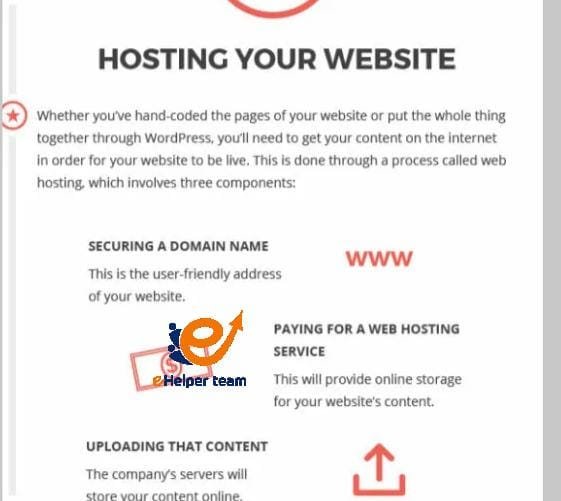
4 . Secure Your Domain and Hosting
Your domain name should be short, memorable, and reflect your brand identity. Hosting, on the other hand, determines your site’s speed and reliability — both critical ranking factors in 2025 SEO.
Pro Tip: A well-planned site saves you months of revision later. Spend quality time on this stage; it’s the most important investment in your online journey.
Step 2: Designing for User Experience (UX) and Brand Identity
Once the groundwork is set, design becomes your website’s visual voice. The design phase is not only about aesthetics — it’s about how users interact with your content and how effectively your brand communicates through visuals.
1. The Power of First Impressions
Studies show that visitors form an opinion about a website in less than 50 milliseconds. That’s why layout, color scheme, and typography should all align with your brand’s identity.
2. Responsive and Accessible Design
In 2025, mobile-first design isn’t optional — it’s essential. Every element of your site must look and function seamlessly on any screen size. Accessibility is also critical; your website should be usable for people with disabilities, complying with global web standards.
3. Building Brand Trust
A consistent design — using the same logo, color palette, and tone — strengthens brand recognition. Make sure that call-to-action buttons are visible and intuitive. Trust badges (SSL, payment security, etc.) can also help reassure visitors.
A visually appealing and user-friendly site not only engages visitors but also builds trust — one of Google’s major ranking signals.
Step 3: Development and Content Integration
Designing the look is one thing — making it functional is another. The development phase brings your design to life through coding, plugins, and content integration.
1. Front-End and Back-End Development
Front-end focuses on what users see — HTML, CSS, and JavaScript — while back-end manages the server, database, and application logic. The key is balance: performance must meet design.
2. Content Management and SEO Basics
Even the best website can’t succeed without quality content. As you Establish a website, ensure your articles, product descriptions, and multimedia are optimized for search engines. A detailed guide on SEO basics explains how to structure your content for higher visibility.
3. Page Speed and Technical Optimization
A fast-loading website improves user satisfaction and search rankings. Compress images, use caching, and opt for lightweight themes. Tools like Google PageSpeed Insights help diagnose and improve your site’s speed.
Remember: Your website’s code and content should work together seamlessly to deliver a smooth and optimized experience.
Step 4: Launch and Optimize Your Website for Maximum Visibility
You’ve planned, designed, and developed your website — now comes the most exciting part: launching it to the world. But launching isn’t just hitting “publish.” It’s a carefully structured process that determines how effectively your site performs from day one.
1. Pre-Launch Checklist
Before you Establish a website officially, ensure every component works flawlessly. Here’s what you should double-check:
All internal links and navigation menus function correctly.
Forms and contact pages send data properly.
Meta titles, descriptions, and tags are unique and optimized.
Your site’s mobile responsiveness and speed are fully tested.
The SSL certificate is active for HTTPS security.
2. SEO Optimization
Search Engine Optimization (SEO) is the driving force behind online visibility. At this stage, focus on both on-page and off-page SEO techniques:
On-Page SEO: Optimize headings, alt text, URLs, and keyword placement naturally throughout your content. Use structured data (schema markup) to improve click-through rates.
Off-Page SEO: Build quality backlinks from reputable sources and promote your content on social media platforms.
Remember, SEO is a long-term process. For those who want a detailed understanding, the SEO basics guide is a great resource to learn how to attract steady organic traffic and maintain ranking growth.
3 . Analytics and Performance Tracking
Once your website is live, set up Google Analytics 4 and Google Search Console to monitor performance. Track metrics like bounce rate, session duration, and keyword rankings to adjust your content strategy.
Optimization isn’t a one-time event — it’s an ongoing process that evolves as search algorithms and user expectations change.
Step 5: Advanced Strategies for Continuous Growth
After you Establish a website, the real challenge begins — sustaining and scaling it. A great website is a living platform that evolves with its audience and industry trends.
1 Regular Content Updates
Fresh content signals relevance to both users and search engines. Maintain a consistent publishing schedule and update older posts with new data. You can use your sitemap (learn more from this sitemap planning guide) to help Google recrawl and index your updated pages faster.
2. Enhance User Engagement
Use tools like chatbots, newsletters, and comment sections to foster community engagement. User interaction not only boosts return visits but also increases dwell time — a key ranking factor.
3. Strengthen Your Technical SEO
Implement structured markup, optimize your Core Web Vitals, and use AMP (Accelerated Mobile Pages) for faster mobile loading.
4. Social Media and Email Integration
Link your website with your social media platforms to increase reach and visibility. Email marketing helps nurture relationships with subscribers, driving consistent traffic back to your site.
The goal isn’t just to create a website but to build an evolving digital ecosystem that grows alongside your audience and business.
Step 6: Maintaining and Securing Your Website
A professional website isn’t just about launching it — it’s about keeping it safe, updated, and optimized over time.
1. Regular Backups and Security
Always perform automatic backups and update your CMS, plugins, and themes. Weak security can destroy months of hard work if neglected.
2. Performance Maintenance
Check for broken links, update plugins, and remove unused scripts. Regular maintenance ensures your website continues running smoothly.
3. Legal and Compliance Updates
Make sure your site complies with global privacy regulations like GDPR and CCPA. Include a clear privacy policy and cookie consent banner.
Security and maintenance are invisible yet powerful factors that keep your website credible and trustworthy.
Frequently Asked Questions (FAQs)
1. How long does it take to establish a website?
Depending on complexity, it can take anywhere from a few days to several weeks. A simple WordPress site may take 3–5 days, while an e-commerce site might take several weeks.
2. Do I need coding skills to establish a website?
Not necessarily. Platforms like WordPress, Wix, and Squarespace allow users to build websites using drag-and-drop tools without coding.
3. What’s the difference between a domain and hosting?
Your domain is your website’s address, while hosting is the space where your files and data are stored online.
4. How do I choose the right CMS platform?
Select a CMS based on your goals: WordPress for blogs, Shopify for e-commerce, and Wix for portfolio websites.
5. How can I improve website speed?
Use caching, image compression, and lightweight themes. Google’s PageSpeed Insights can help analyze and improve your performance.
6. What is SEO, and why is it important?
SEO (Search Engine Optimization) improves your website’s visibility in search results. Without it, your website might never reach your intended audience.
7. How much does it cost to establish a website?
It depends on your tools and goals. Basic websites may cost under $100 annually, while professional sites can cost several thousand dollars.
8. How do I keep my website secure?
Use SSL certificates, enable two-factor authentication, and perform regular security scans.
9. What’s the role of a sitemap?
A sitemap helps search engines crawl and index your website more efficiently, ensuring all pages are visible and ranked properly.
10. How often should I update my website content?
Ideally, review and refresh your content every 3–6 months to keep information current and SEO-friendly.
Conclusion
To Establish a website in 2025 means more than just owning a domain — it’s about creating an engaging, optimized, and evolving digital hub that represents your brand authentically. By following the four fundamental steps — planning, design, development, and optimization — you can ensure your website not only launches successfully but thrives in a competitive online environment.
If you’re ready to start your journey today, revisit this detailed guide to website creation for deeper insights. Remember, every great online presence begins with a single, well-planned step.