Is there a negative side to Google ads preview tool?
The Google Ads preview tool has long been a go-to feature for advertisers seeking to test their ad visibility without influencing key performance metrics. It allows users to simulate how their ads appear on Google Search results, ensuring that impressions and click-through rates remain unaffected. On the surface, it seems like a flawless, convenient solution — a safe window into your campaigns.
However, beneath its usefulness lies a set of overlooked limitations that can impact how marketers interpret data and optimize performance. Many advertisers mistakenly use the preview as a diagnostic instrument rather than a visual checker. This subtle confusion often leads to inaccurate assumptions, wasted budgets, and missed optimization opportunities.
Understanding both the strengths and weaknesses of this tool is crucial for any serious marketer. In this article, we’ll explore whether there’s a negative side to the Google Ads preview tool, how it might distort performance analysis, and how to use it correctly without falling into common traps.


Is There a Negative Side to the Google Ads Preview Tool?
While the Google ads preview tool is designed to provide clarity, its results can sometimes lead to confusion or even misjudgment. The tool doesn’t simulate every real-world factor that influences ad placement. As a result, what you see may not always reflect what your audience actually experiences.
Here are some common drawbacks that marketers should be aware of:
Limited accuracy in ad delivery simulation:
The tool doesn’t account for personalization factors such as user browsing history, device type, or previous interactions. This means the version of the ad you see may differ significantly from what users encounter.Misleading impressions of ad performance:
Many advertisers panic when they don’t see their ad in the preview, assuming their campaign isn’t running properly. In reality, the ad may be active but simply not triggered for the simulated query due to location targeting or bid limits.Absence of dynamic variations:
Responsive Search Ads and adaptive formats rely on real-time machine learning to mix and match headlines. The preview tool doesn’t always display these variations, leading to incomplete or inaccurate evaluations.Skewed perception of audience reach:
The preview is static, while actual campaigns adjust dynamically based on signals like time, geography, and competition. Relying on it for strategic decisions can distort overall analysis.
Simply put, the Google Ads preview tool is not inherently bad — but it’s limited. Misusing it as a reporting or diagnostic resource instead of a visualization tool is where most marketers go wrong.
How the Google Ads Preview Tool Can Distort Performance Insights
One of the most overlooked issues with the Google Ads preview tool is its inability to represent real-time auction dynamics. Google’s ad placements depend on a complex bidding system that considers multiple variables — including ad quality, keyword relevance, and user intent. The preview, however, isolates your view from this ecosystem.
Because it doesn’t track or generate impressions, the preview cannot reflect your actual impression share, CTR, or ad rank. When you check your ad and it doesn’t appear, it doesn’t necessarily mean something is broken — it could simply be budget pacing or geographic restrictions at play.
Another subtle problem is how it affects decision-making psychology. Many advertisers start adjusting bids or rewriting ads after not seeing their campaigns in the preview. This overcorrection can inflate costs and degrade long-term campaign efficiency.
To maintain accurate campaign insights, consider these best practices:
Rely on campaign performance data rather than visual verification.
Use analytics tools like Google Ads Reports and Search Console to monitor actual search visibility.
Cross-check results using tracking and attribution data, not just what you see in a simulation.
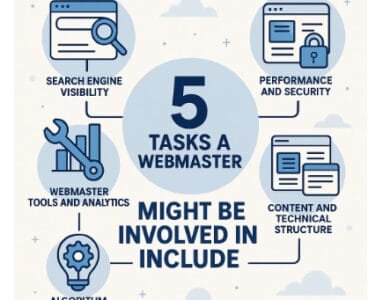
If you’re seeking reliable tools that complement Google Ads performance, you can explore a breakdown of essential webmaster tools here.
Best Practices: Using the Google Ads Preview Tool the Right Way
To make the most of the Google ads preview tool, marketers should treat it as a visual confirmation tool — not an analytical one. It’s perfect for checking whether an ad is active, properly formatted, and geographically targeted, but it should never replace data-based evaluations.
Here are some best practices for using it effectively:
Check ad visibility across multiple locations:
Use the location filter to test how ads appear in different regions. This is especially helpful for multi-country or multilingual campaigns.Avoid over-checking your own campaigns:
Although the tool doesn’t count impressions, repeatedly testing can mislead you into thinking your ad isn’t performing. Focus instead on dashboards and reports for validation.Combine with other Google marketing tools:
Integrate your testing with data from Analytics, Tag Manager, or Search Console for a more holistic campaign view.Document your findings:
Keep notes of what you see in the preview compared to what analytics reports show. Over time, this comparison helps you identify behavioral or regional differences in ad delivery.
Finally, remember that the Google ads preview tool is most useful for pre-launch verification, not post-launch measurement. Once your campaign is live, performance metrics — not visuals — should guide every optimization decision.
For more context about the evolving ad ecosystem, you can explore this guide on Google advertising trends.
Why the Google Ads Preview Tool Can’t Replace Real User Testing
One of the key drawbacks of the Google Ads preview tool is its inability to reflect real-world user behavior. Digital advertising is influenced by hundreds of signals, from device type and browser history to location, demographics, and even the user’s engagement with other Google services. Unfortunately, the preview tool can’t replicate that diversity of inputs.
When you use it, you’re looking through a controlled and filtered environment — not the live, data-driven ecosystem where your ads actually compete. This means the ad version you see might differ from what your target audience sees, leading to data bias in interpretation.
Consider these limitations:
No personalization factors: Real users trigger ads based on their browsing intent and search patterns. The preview tool cannot simulate those variables.
No competition factor: The ad auction environment changes every second based on bids and ad rank. The preview doesn’t account for your competitors’ live actions.
No conversion journey representation: It doesn’t show how users interact with multiple touchpoints — from search results to display ads or retargeting.
If you want a more realistic evaluation, always complement preview testing with real-user data and A/B experiments. Tools like Analytics or conversion tracking platforms offer far more actionable insights than static previews ever could.
How They Outpace the Preview Tool
Modern advertising runs on machine learning and automation — and this is where the Google ads preview tool begins to fall behind. Automation systems optimize ads in real time, adjusting bids, formats, and placements based on dozens of dynamic parameters.
However, the preview tool operates outside that live optimization loop. It can’t demonstrate how smart bidding or responsive ad models modify your campaign in response to user trends.
Here’s why that matters:
Smart bidding invisibility: You won’t see how bid strategies like Target CPA or Maximize Conversions influence when and where your ad appears.
Dynamic ad limitations: The preview may display a single version of your ad, ignoring automated text combinations or asset variations.
Misalignment with audience signals: Automated campaigns use behavioral signals (e.g., remarketing, in-market audiences). The preview doesn’t replicate these contexts, giving an incomplete view.
To adapt, advertisers should use automation insights directly from the Google Ads dashboard, where they can monitor performance under different bidding strategies. Use the preview tool only as a supplementary step, not a decision-making resource.
For a deeper understanding of how automation reshapes ad delivery, you can check an overview of evolving webmaster tools here.
Smarter Alternatives to the Google Ads Preview Tool
If the Google ads preview tool has its limits, what should marketers use instead? Fortunately, Google provides several reliable alternatives for measuring performance and visibility more accurately:
Google Ads Reports: Offers granular data on impressions, clicks, and conversions — real numbers that reflect user behavior.
Search Console: Displays organic search visibility trends and can reveal if ad performance aligns with organic impressions.
Ad Diagnostics Tools: Detect issues like low ad rank or keyword conflicts.
Third-Party Platforms: Advanced marketing suites can simulate live ad performance using broader datasets and audience modeling.
You can also test ad consistency through incognito searches or VPN-based checks to see how results differ across locations. These methods provide a more authentic representation of user experiences.
Still, the preview tool isn’t useless. It’s excellent for:
Quick visual validation before launching new campaigns
Checking ad formatting and sitelink appearance
Ensuring compliance with brand tone and policy requirements
But as a rule of thumb, data always beats visuals. A spreadsheet of accurate performance metrics is worth more than what appears in a single preview window.

Frequently Asked Questions (FAQs)
1. What exactly does the Google Ads preview tool do?
It allows advertisers to see how their ads appear on Google Search without creating impressions or affecting campaign statistics.
2. Does using the Google ads preview tool affect my campaign metrics?
No, it doesn’t count as an impression or click, making it safe for testing.
3. Why can’t I see my ad in the preview tool?
Possible reasons include budget limits, ad rank thresholds, location targeting, or keyword mismatches. It doesn’t always mean your campaign is failing.
4. Is the Google ads preview tool accurate?
It’s partially accurate for visuals, but not for live bidding or personalization — meaning it doesn’t reflect every user’s experience.
5. Can the preview tool show all my responsive ad combinations?
No, it typically displays one static version. Responsive combinations are dynamic and change per user.
6. Should I rely on the preview tool to measure performance?
Definitely not. Use it only for visual checks. For performance, depend on metrics from your Ads dashboard and analytics tools.
7. How often should I use the Google ads preview tool?
Only occasionally — for new ad launches, localization checks, or troubleshooting. Overuse may cause confusion or bias.
8. Are there better tools to analyze ad visibility?
Yes. Google Ads Reports, Search Console, and third-party diagnostic tools provide more reliable insights.
9. How do I ensure my ad appears where I want it to?
Use detailed location targeting, proper keyword selection, and monitor your impression share through campaign reports.
10. Can the Google ads preview tool help with A/B testing?
Not effectively. It’s best to run real campaigns and analyze the performance data to compare variations.
Conclusion
The Google Ads preview tool remains a convenient resource for marketers, but it’s important to understand its purpose. It’s meant for quick, non-intrusive visual checks, not for performance analysis or optimization.
By recognizing its limitations — from missing real-user data to failing to display dynamic ad variations — you can avoid making decisions based on incomplete information. Combine the preview tool with Google Ads Reports, analytics data, and A/B testing for a full, reliable picture of your campaign’s performance.
Ultimately, success in digital advertising depends on data-driven decisions, not assumptions from static previews. When used correctly, this tool complements your strategy; when misused, it distorts it. Choose wisely — because every click, bid, and impression counts.