How to Add YouTube Chapters: Boost Your SEO, Engagement, and Watch Time
When was the last time you thought about adding chapters to your YouTube videos? For many creators, understanding how to add YouTube chapters is an afterthought, but in today’s competitive landscape, it’s a simple yet powerful way to improve both viewer experience and your SEO performance.
Think about it—your audience is busy. They want to jump straight to the part of your video that interests them most. Chapters, with clear labels and timestamps, act like a table of contents, making your content more accessible.
The best part? YouTube chapters don’t just help viewers. They also send strong signals to YouTube’s algorithm, improving your video’s visibility in search results and increasing watch time. That means more satisfied viewers and more exposure for your brand.


Why YouTube Chapters Matter for SEO and Watch Time
1. Improved User Experience
By breaking your video into sections, you allow viewers to navigate directly to the parts they find most relevant. This can significantly boost average view duration.
2. Increased Visibility in Search
Google often displays YouTube chapters directly in search results, allowing viewers to click on a specific section of your video. This can dramatically improve your CTR.
3. Accessibility and Professionalism
Chapters make your content look more polished and accessible, creating a professional impression for first-time viewers.
How to Add YouTube Chapters
Adding chapters is straightforward:
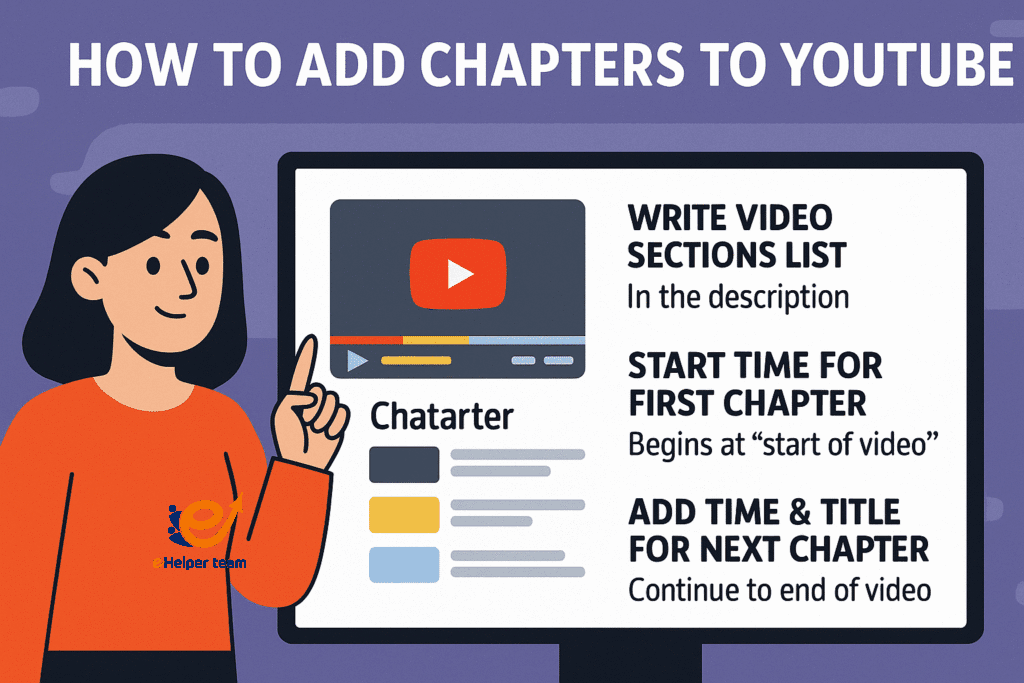
Write a list of your video sections in the description box.
Begin with the starting time for the first section (for example, “start of video – Introduction”).
Add the next time for the following section and give it a descriptive title.
Continue until you have covered the entire video.
YouTube automatically detects this format and creates clickable segments in your video timeline.
For a deeper breakdown of YouTube optimization techniques, check out this YouTube SEO guide.
YouTube Timestamps Format – The Right Way
When using the YouTube timestamps format, make sure:
The first timestamp starts at the beginning of the video.
Each chapter has a clear and concise title.
The time format is consistent (MM:SS or HH:MM:SS).
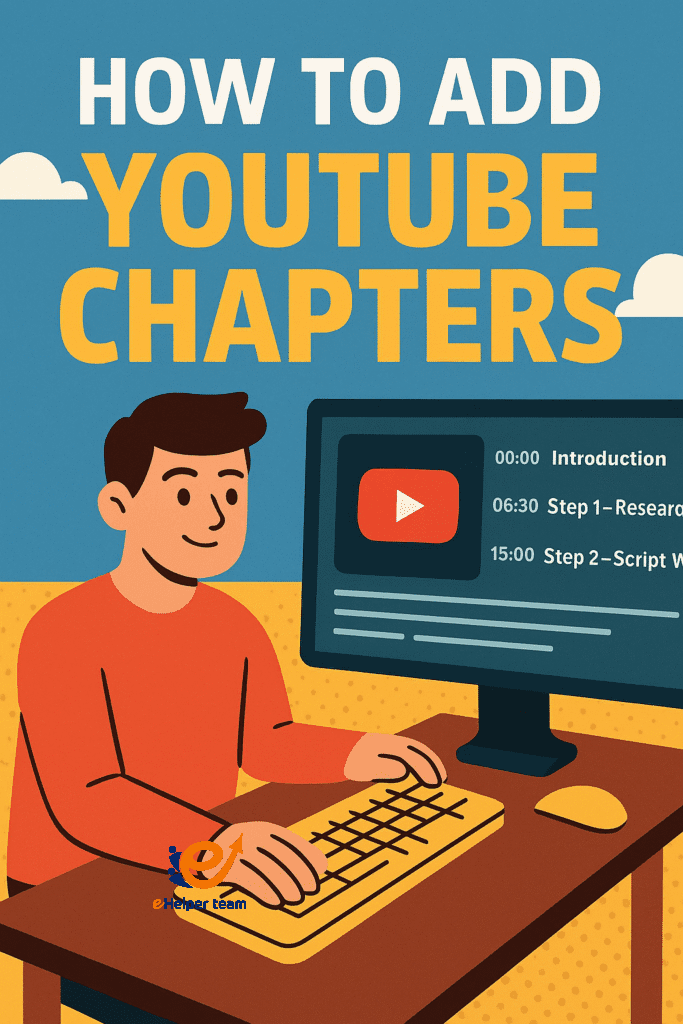
Instead of showing real-time examples like “00:00 Intro,” describe your sections in a written structure:
Start of video – Main Topic Introduction
Midpoint – Key Insights and Analysis
Final Section – Summary and Call to Action
Benefits of Video Chapters for Growth
SEO Advantages – Chapters can appear in Google search results with clickable links.
Increased Engagement – Viewers stay longer because they can jump to relevant sections.
Higher Watch Time – More precise navigation keeps audiences from leaving early.
You can combine chapters with other growth strategies like these powerful faceless YouTube channel ideas to expand your reach.
How Chapters Appear in Google Search
One major advantage is how chapters integrate with Google’s search results. When properly formatted, Google may display them as “key moments” under your video thumbnail. This makes your content more appealing and gives you more space on the results page—boosting your organic traffic potential.
Auto-Chapters – Should You Use Them?
YouTube can automatically create chapters based on speech recognition and AI detection of content sections. While convenient, auto-chapters aren’t always accurate. If you want full control over your SEO and viewer navigation, manual chapters are the best choice.
Pro Tips for Optimizing Chapters
Include Keywords in Chapter Titles – This boosts discoverability.
Use Consistent Style – Similar format in all videos helps brand recognition.
Combine With End Screens and Cards – Keep viewers engaged even after they finish a chapter.
For more advanced tagging and SEO practices, check out this YouTube SEO export video search engines guide.
Case Study – Chapters Boosting Watch Time by 27%
A tech tutorial channel introduced chapters to its 20 most popular videos. Within 30 days, the average watch time per video increased by 27%, and the click-through rate from Google search improved by 14%. These results came from a mix of how to add YouTube chapters best practices, keyword-rich chapter titles, and a strong SEO foundation.
To combine chapters with a broader SEO plan, here’s a tips for SEO on YouTube guide that works hand-in-hand with the strategies outlined here.
Advanced Strategies for Making the Most of YouTube Chapters
1. Align Chapters With Audience Retention Data
One of the smartest ways to refine your chapter strategy is by analyzing your YouTube Analytics. Look at your Audience Retention graph to identify drop-off points—then structure your chapters to re-engage viewers right before those moments. For example, if you see a dip at minute 3, add a new chapter marker around minute 2:50 with a compelling title to keep viewers hooked.
2. Use Chapters to Promote Other Content
While most creators use chapters for navigation, you can also strategically place chapter titles that encourage viewers to check out your other videos or playlists. For example:
“Bonus Tips – Check Out My Playlist on YouTube SEO”
This acts as a soft call-to-action, increasing session watch time.
3. Combine Chapters With Search Intent
When deciding how to add YouTube chapters, don’t just split content evenly. Think about the search intent behind your video. If people are searching for “how to change YouTube channel name,” make sure one of your chapters exactly matches that keyword phrase. This can increase your chances of appearing as a “key moment” in Google search.
4. Enhancing Accessibility With Chapters
Adding clear chapters not only helps viewers navigate—it’s also beneficial for accessibility. When paired with accurate captions, chapters allow hearing-impaired viewers to find the exact section they need without watching the entire video.
5. Measuring the SEO Impact of Chapters
After implementing chapters, track these metrics:
Click-through rate from Google Search (via YouTube Studio > Traffic Sources)
Average percentage viewed (to see if navigation helps retention)
Watch time from suggested videos (improved navigation often boosts recommendations)
If these metrics trend upward, your chapter strategy is working.
6. Chapters in Live Streams and Long-Form Content
Many creators overlook the potential of chapters in long webinars, live streams, and event recordings. These formats often contain multiple topics, making them perfect for structured chapters. Viewers are more likely to revisit specific sections later—boosting repeat views.
7. Branding Your Chapter Titles
Your chapters should feel like part of your brand voice. Instead of generic titles like “Part 1,” use engaging, benefit-driven phrasing:
“Get Started in 60 Seconds”
“Secrets to Doubling Your Watch Time”
“Pro Editing Hacks You Can Try Today”
This subtle branding keeps viewers intrigued and connected to your style.
8. The Role of Chapters in Playlists
When you organize your videos into playlists, chapters help viewers navigate within each video while also binge-watching related content. This double-layered navigation keeps viewers inside your channel ecosystem for longer.
9. Legal & Ethical Considerations
If your content includes copyrighted material, ensure your chapters clearly mark credit or usage rights. This is especially important for educational or review videos, where you may reference third-party content.
10. Future Trends: AI-Driven Chapter Optimization
YouTube’s AI is becoming more capable of auto-generating chapters with high accuracy. In the near future, we may see AI tools suggesting SEO-optimized chapter titles based on search trends. Staying ahead by practicing manual optimization now means you’ll adapt faster when these tools roll out.
FAQs – How to Add YouTube Chapters
Q1: Do chapters improve SEO?
Yes, they can appear in Google search as clickable “key moments” and help YouTube recommend your video.
Q2: What’s the minimum number of chapters I should add?
Aim for at least 3–5 chapters for videos over 5 minutes long.
Q3: Can I use auto-chapters?
Yes, but manual chapters are more precise.
Q4: Do I need to follow a strict timestamps format?
Yes, but you can describe them textually if you don’t want to show the actual times.
Q5: Should I add keywords to my chapter titles?
Absolutely—this increases discoverability.
Conclusion
Mastering how to add YouTube chapters is one of the simplest yet most impactful ways to enhance both your viewer experience and your video’s performance in search. By breaking content into clear, keyword-rich sections, you not only make your videos easier to navigate but also signal to YouTube and Google exactly what each part is about—boosting discoverability and click-through rates.
When combined with strong titles, engaging thumbnails, and an optimized description, how to add YouTube chapters becomes part of a powerful SEO strategy that keeps viewers watching longer and returning for more. Whether you use them to highlight key teaching points, product demos, or story segments, chapters make your content look professional, accessible, and highly shareable.


