What is a WordPress platform?and why do we use it? for beginner
What is a WordPress?
If you’ve ever thought about building a website, you’ve probably come across the question: What is a WordPress platform? This is one of the most common queries among beginners who want to establish their online presence. In today’s digital world, websites are the backbone of businesses, blogs, and online stores. WordPress has become the leading solution because of its flexibility, ease of use, and powerful features.
Interestingly, more than 40% of all websites on the internet are powered by WordPress, making it the most popular content management system (CMS) in the world. Whether you’re a blogger, an entrepreneur, or just someone curious about web design, WordPress can help you bring your ideas online without advanced coding skills.
In this guide, we’ll break down what a WordPress platform is in simple terms and explain why millions of beginners and professionals alike rely on it.
What is a WordPress Platform? (Explained for Beginners)
When someone asks What is a WordPress platform? The simplest answer is: it’s a free, open-source content management system (CMS) that allows users to build and manage websites without needing to code. Launched in 2003, WordPress started as a blogging tool but has since evolved into a versatile platform capable of powering everything from personal blogs to corporate websites and e-commerce stores.
Here are some key points that define WordPress for beginners:
Free and open-source: You don’t need to pay to use it. Anyone can download, install, and customize it.
Beginner-friendly: No advanced programming knowledge is required.
Highly customizable: Thousands of free and premium themes and plugins make it easy to design and expand functionality.
Community support: With millions of users and developers worldwide, you’ll never run short of tutorials, plugins, or troubleshooting advice.
There are two main versions of WordPress:
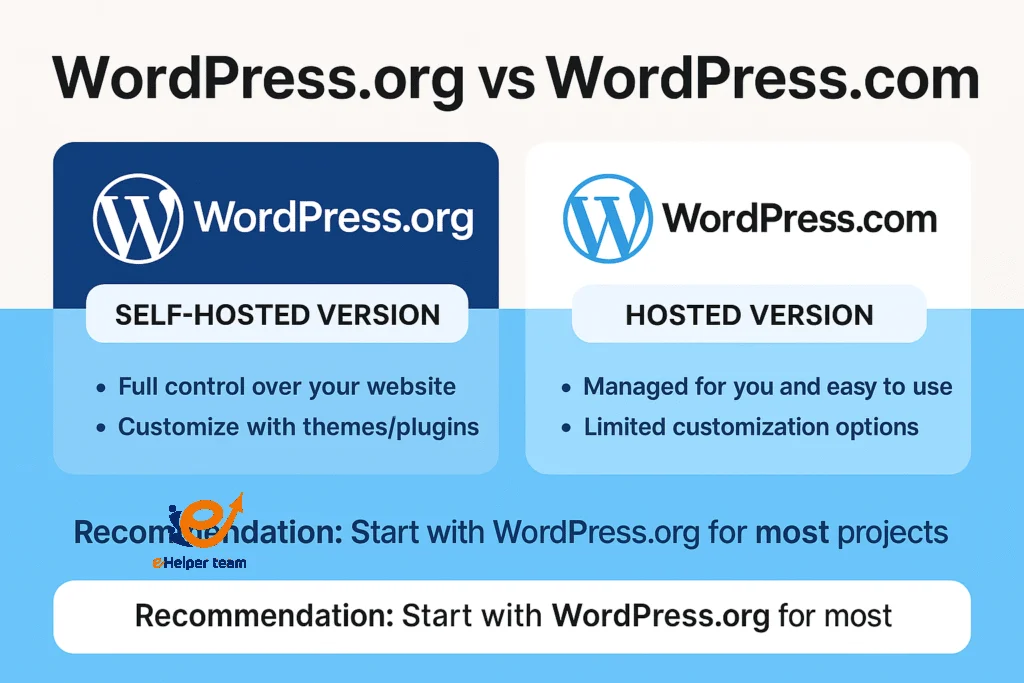
WordPress.org – A self-hosted version that gives you full control over your website.
WordPress.com – A hosted platform that’s easier to start with but offers less flexibility.
For beginners, WordPress.org is often the better choice because it offers more control and growth opportunities.
Curious how WordPress compares with alternatives? This article can help: Blogger Vs WordPress: Which is better?
Why Do We Use WordPress? Key Reasons for Beginners
So, why is WordPress the go-to platform for so many people? The answer lies in its unique combination of simplicity, scalability, and cost-effectiveness. Let’s break down the reasons:
Ease of Use
WordPress offers a user-friendly dashboard that even complete beginners can understand. You can create posts, pages, and upload media with just a few clicks.Flexible Design
Want a blog, portfolio, business site, or online store? WordPress has thousands of themes and plugins that allow you to build any type of website.SEO-Friendly
WordPress is designed with search engine optimization in mind. Plugins like Yoast SEO and RankMath make it easy to optimize your site for Google rankings.Cost Efficiency
Since it’s free and open-source, you only need to pay for hosting and optional premium features. This makes it a budget-friendly choice for startups and small businesses.Massive Community Support
The WordPress community constantly develops tutorials, updates, and add-ons, ensuring your website stays modern and secure.
The Evolution of WordPress: From Blogging Tool to All-in-One CMS
Back in 2003, WordPress was launched mainly as a blogging tool. Over time, developers expanded their features to support complex websites, e-commerce, membership sites, and even apps. Today, it’s not just for bloggers—it powers websites for major companies, universities, governments, and online stores.
Here’s how it evolved:
2003–2005: Focused on blogging.
2008–2012: Introduction of plugins and themes revolutionized customization.
2015 onwards: WooCommerce integration made WordPress a leader in e-commerce.
2020–2025: WordPress became even more user-friendly with block editors (Gutenberg) and AI-powered tools.
Now, in 2025, WordPress is considered the default CMS choice for beginners because it balances simplicity with advanced features.
Is WordPress Secure Enough for Beginners?
One of the top concerns when choosing a platform is security. Many beginners wonder if WordPress is safe, and the answer is: Yes, WordPress can be very secure — if maintained properly.
Like any software, WordPress can be vulnerable if not updated. However, its massive community ensures that security patches are released quickly whenever a threat is discovered. To make your site more secure:
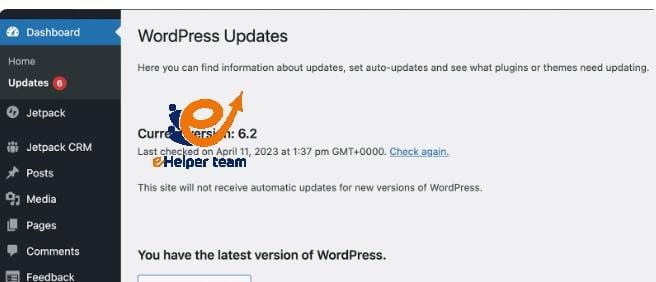
Always update your WordPress core, themes, and plugins.
Use strong passwords and enable two-factor authentication.
Install a reliable security plugin like Wordfence or Sucuri.
Regularly back up your site to protect against unexpected issues.
Security is one of the reasons beginners choose WordPress. Unlike custom-coded websites, you don’t need advanced technical knowledge to keep your site safe.
For extra protection tips, check out this helpful guide: Seven important tips to protect your WordPress site from hackers.
WooCommerce: The E-Commerce Power of WordPress
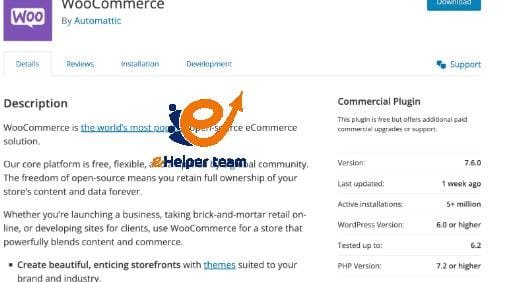
One of the most important milestones in the history of WordPress was the launch of WooCommerce in 2015. This free, open-source plugin turned WordPress into a global e-commerce leader, giving users the ability to create fully functional online stores directly from their WordPress websites.
For beginners, WooCommerce is especially powerful because it combines simplicity with scalability:
You can start with just a few products and expand to thousands as your business grows.
It integrates seamlessly with WordPress themes, allowing you to design a store that matches your brand.
With built-in tools and extensions, you can manage inventory, payments, shipping, and marketing without touching a single line of code.
Today, WooCommerce powers millions of online stores worldwide and is considered the number one solution for small and medium-sized businesses that want to sell online without paying high subscription fees for closed platforms like Shopify.
WordPress vs Other Website Builders: Why It Stands Out
Many beginners compare WordPress to alternatives like Wix, Squarespace, or Blogger. While these platforms are easy to use, they often come with limitations:
Wix and Squarespace: Great for drag-and-drop design but less flexible for advanced customization.
Blogger: Simple and free, but very limited compared to WordPress.
Shopify: Excellent for e-commerce but comes with higher costs and less flexibility outside online stores.
In contrast, WordPress provides the perfect balance:
Beginner-friendly while still powerful enough for professionals.
Thousands of plugins to add functionality.
Freedom to move your site to different hosts if needed.
Cost-effective compared to most competitors.
It’s this balance that makes WordPress the most recommended CMS for beginners in 2025.
Best Uses of WordPress in 2025
WordPress is not limited to blogs anymore—it’s an all-in-one platform. Some of the most common uses include:
Personal Blogs and Portfolios – Ideal for writers, photographers, and freelancers.
Business Websites – Small and medium businesses use WordPress to showcase their services.
E-Commerce Stores – With WooCommerce, WordPress becomes a full-featured online shop.
Membership Websites – You can create online communities or training programs.
Nonprofit and Educational Sites – Many NGOs and schools use WordPress for its affordability.
Its adaptability makes it the top choice for anyone starting online. In fact, if you want to launch an online shop, WordPress with WooCommerce is unbeatable
How to Start with WordPress: Step-by-Step Beginner’s Guide
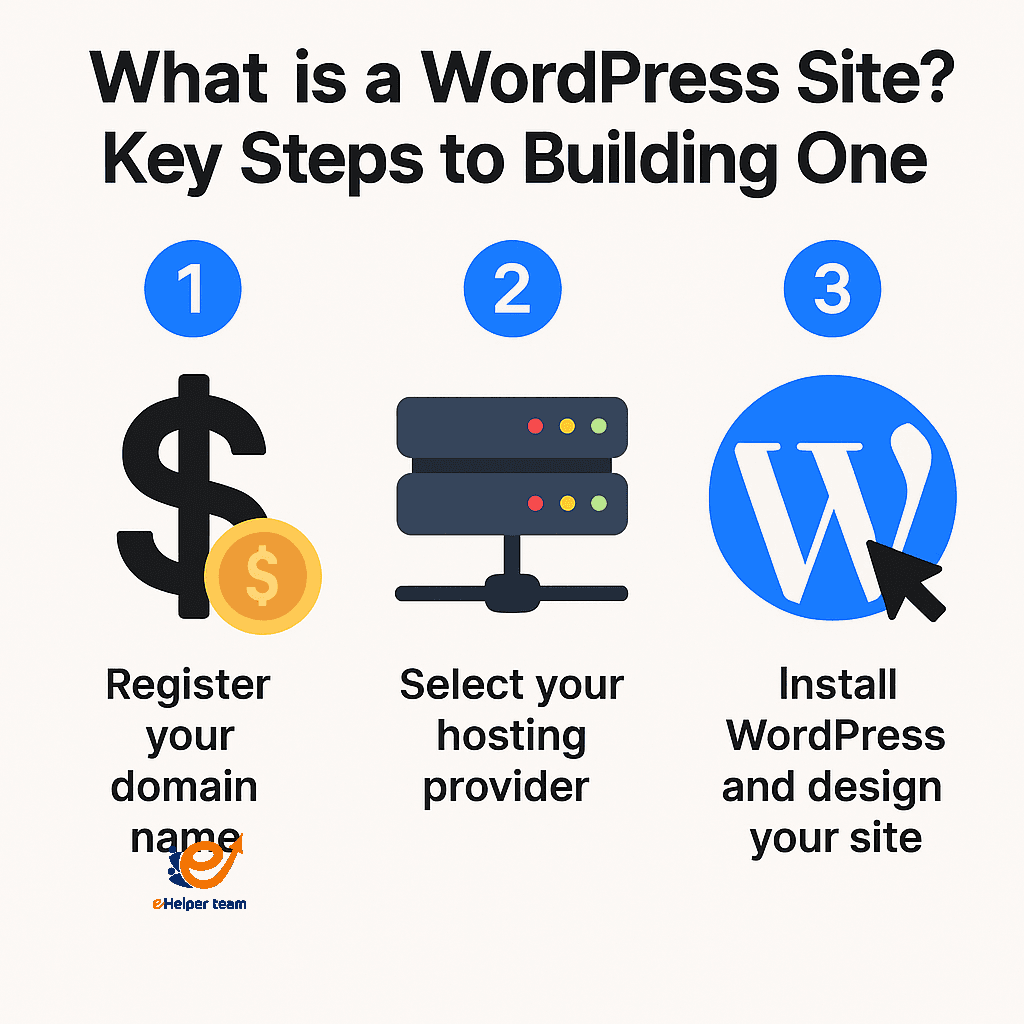
Getting started with WordPress may seem overwhelming at first, but it’s actually simple. Here’s a step-by-step approach:
Choose Hosting & Domain
Pick a reliable hosting provider and register your domain name. This is your website’s address.Install WordPress
Most hosting companies provide one-click WordPress installation.Select a Theme
Browse thousands of free or premium themes to match your website’s purpose.Install Plugins
Plugins add extra functionality (e.g., SEO, contact forms, security, speed optimization).Create Content
Start adding pages like Home, About, Services, Blog, and Contact.Optimize for SEO
Use SEO plugins, keywords, and a mobile-friendly design to attract visitors.Launch Your Site
Once everything is ready, hit publish and share your site with the world!
This beginner-friendly process shows why WordPress is the top choice: it’s both simple and scalable.
Frequently Asked Questions About WordPress (FAQs)
1) What exactly is WordPress, and how does it work?
What is a WordPress platform? Simply put, it is a free, open-source Content Management System (CMS) that allows you to create and manage websites without writing code. You install WordPress on a hosting account, select a theme for design, and extend functionality using plugins (e.g., SEO, forms, backups, e-commerce).
The WordPress dashboard is where you manage posts, pages, menus, and users. Content is stored in a database (MySQL/MariaDB), while PHP generates pages dynamically. Themes control design, plugins add features, and the dashboard makes publishing content as simple as editing a Word document.
2) What’s the difference between WordPress.org and WordPress.com? Which should I choose as a beginner?
WordPress.org (self-hosted): Downloadable software installed on your own hosting. Full freedom with themes, plugins, custom code, and monetization. Costs: hosting + domain + optional tools.
WordPress.com (hosted): Quick start and maintenance-free, but advanced features (plugins, SEO, e-commerce) need paid plans.
Recommendation: If you want maximum flexibility and plan to grow, go with WordPress.org. If you just want to test what a WordPress blog is for personal use, WordPress.com may be easier, but it has limits.
3) How much does it cost to build a WordPress site?
Building with WordPress is budget-friendly compared to other platforms. Here’s a breakdown:
Domain name: $10–$15/year
Hosting: $3–$15/month shared hosting (more for managed)
Theme: Free or premium $30–$80
Plugins: Mostly free; premium add-ons $20–$100/year each
Optional tools: CDN, email marketing, developer time
For a small site, expect $60–$200 in the first year. For larger what is a larger WordPress e-commerce store, $200–$600+, depending on paid features.
4) Is WordPress secure? What practical steps should I take?
Yes, What is a WordPress platform can be very secure when it is properly maintained and updated. Most security breaches occur due to outdated software, weak passwords, or poor hosting environments. To keep your What is a WordPress site safe, follow these essential practices:
Update the WordPress core, themes, and plugins regularly.
Use strong, unique passwords and enable two-factor authentication.
Install a reliable security plugin such as Wordfence or Sucuri.
Remove any unused plugins or themes to reduce vulnerabilities.
Enable daily backups stored off-site for recovery.
Choose a trustworthy hosting provider with built-in security.
By following these steps, beginners can ensure that their What is a WordPress site remains safe, secure, and scalable as it grows.
5) What is the Gutenberg (Block) Editor, and should I use it or a page builder?
What is a WordPress Gutenberg Block Editor? It is the default editor that allows you to create page layouts using blocks such as text, images, columns, and buttons. It’s fast, lightweight, and ensures that What is a WordPress site remains clean, organized, and future-proof.
Page builders (Elementor, Divi, Beaver Builder) give more visual controls but can add bloat.
Use the Block Editor for simplicity and speed.
Use Page Builders for complex designs.
Many beginners use a mix: Block Editor for content, page builder for landing pages.
6) How do I make my WordPress site fast and mobile-friendly?
Optimizing What is a WordPress site is crucial for both SEO and user experience. Here’s a checklist to help you improve performance and speed:
Use lightweight themes.
Compress images (WebP, lazy loading).
Enable caching and use a CDN.
Minify CSS/JS files.
Keep WordPress + PHP updated.
Pick responsive themes and test on mobile devices.
Following these steps ensures your site loads quickly and looks great on any screen.
Conclusion: Why Beginners Should Choose WordPress in 2025
So, what’s the final takeaway? If you’re asking What is a WordPress platform and why do we use it? The answer is clear: it’s the most beginner-friendly, flexible, and cost-effective solution for building websites in 2025.
Whether you’re launching a blog, building an online store, or setting up a business site, What is a WordPress offers the tools, freedom, and community support you need to succeed. Its adaptability ensures that beginners can start small and grow big — all without switching platforms.