Bounce Rate Learn more about This concept and SEO Tips for correct handling
When you hear the term Bounce Rate in the SEO world, it often sounds confusing and intimidating. But in reality, it’s much simpler than many think. Imagine a ball hitting the ground and bouncing away quickly—that’s exactly what happens when a website visitor lands on a page and immediately leaves without interacting. A high Bounce Rate means users are leaving your site too fast, and that’s usually a negative sign for both your audience and search engines.
Every website owner aims to reduce Bounce Rate because a lower rate signals better content, stronger engagement, and higher quality in Google’s eyes. In this article, we’ll break down the concept of Bounce Rate, explain why it matters, and share proven SEO tips to handle it correctly. By the end, you’ll have practical strategies to make visitors stay longer, interact more, and help your website rank higher.

What is Bounce Rate and Why It Matters for SEO
Bounce Rate is a metric that measures the percentage of visitors who land on a page and leave without taking any further action. These actions could include clicking a link, filling out a form, watching a video, or visiting another page on your website.


A high Bounce Rate often means:
Your content isn’t meeting visitor expectations.
Your page takes too long to load.
Visitors aren’t motivated to explore further.
From Google’s perspective, Bounce Rate acts as a quality signal. If too many users exit immediately, search engines interpret that as a sign the page may not provide value. While Bounce Rate alone doesn’t determine rankings, it strongly influences user engagement metrics that impact SEO.
How Exit Rate is Calculated
Google Analytics determines the exit percentage by dividing single-page sessions by the total number of sessions. For example, if 500 visitors arrive on your page and 250 leave without further action, your site’s exit rate is 50%.
Common Misconceptions About Exit Rate
Many website owners mistakenly believe a high exit rate always equals failure. That’s not entirely true. For instance, a blog post that answers a specific question may show a high exit percentage but still deliver value if users find their answer quickly. The real concern arises when the drop-off metric is consistently high across multiple important pages, which could be a sign of deeper issues like poor site design or lack of optimization. To learn more about avoiding these mistakes, you can explore this article on common ecommerce website design errors that hurt performance.
Why a High Exit Rate is a Red Flag for Your Website
A consistently high exit level is often a sign that something’s wrong with your site. Let’s explore some common causes:
Weak or Irrelevant Content
If your content doesn’t match the visitor’s search intent, they’ll leave right away. For example, if someone searches “best running shoes” but your page discusses “running techniques,” this mismatch increases abandonment.
Slow Page Speed and Loading Issues
Most users won’t wait more than 3–5 seconds for a page to load. A slow-loading site is one of the top contributors to poor engagement. Tools like Google PageSpeed Insights can help you identify bottlenecks.
Poor Website Design and User Experience
Cluttered layouts, difficult navigation, and non-responsive designs frustrate users. A website that doesn’t display properly on mobile devices will almost certainly drive visitors away.
How to Check and Monitor Exit Data in Google Analytics
The best tool for tracking visitor abandonment is Google Analytics, which records every journey on your website.
Step-by-Step Guide to Finding Data
Log into your Google Analytics account.
Navigate to the Reports section.
Go to Engagement → Pages and Screens.
Here, you’ll see the exit percentage for individual pages.
Analyzing Performance Across Different Pages
It’s essential to review abandonment metrics page by page. Your homepage may show moderate engagement, but a product page could perform much worse. By pinpointing problem areas, you can take targeted action to improve.
Proven SEO Tips to Reduce Exit Rate
Lowering site drop-offs requires a mix of content improvements, design fixes, and technical optimization.
Create Engaging and Valuable Content
Content remains king in SEO. To keep visitors engaged:
Write long-form, in-depth articles.
Use clear headings and bullet points for readability.
Improve Internal Linking Structure
Encourage visitors to explore your site by linking to other relevant articles. Place these links strategically and make sure they open in a new tab to extend time on site.
Optimize Page Speed and Mobile Responsiveness
Compress images, enable caching, and use a reliable host. With more than 60% of users browsing on mobile, responsive design is a must.
Enhance User Experience with Better Design
A clean, professional layout reduces friction. Simple menus, strong call-to-action buttons, and uncluttered pages encourage users to stay longer.
Additional Factors That Influence Engagement
Role of Visuals, Videos, and Calls-to-Action
Interactive media such as videos can significantly lower abandonment by keeping users engaged. Even a short 3-minute video increases session duration. Adding compelling CTAs like “Read More” or “Get Started” also encourages further interaction.
Avoiding Annoying Pop-Ups and Unnecessary Ads
Too many ads or intrusive pop-ups frustrate users and drive them away. While monetization is fine, user experience should always come first.
Industry Benchmarks: What Engagement Signals Tell Us Across Different Niches
Not all websites are created equal, and the meaning of a “good” exit percentage varies by industry. For example, content-heavy blogs often show higher exit levels because users may find answers quickly and leave, while eCommerce sites require lower abandonment to maximize conversions.
General benchmarks include:
E-commerce: 20%–45%
B2B websites: 25%–55%
Blogs and news sites: 60%–80%
Landing pages: 70%–90%
Understanding these averages allows you to set realistic goals instead of comparing your blog’s performance to a retail store’s website.
The Relationship Between User Abandonment and Conversion Rate
One of the most overlooked aspects of site performance is its direct connection to conversion rate optimization (CRO). A visitor who exits immediately doesn’t just leave your site—they also abandon potential opportunities for sales, subscriptions, or lead generation.
Consider this:
If the exit percentage decreases by 10%, your conversion opportunities increase significantly.
Engaged visitors are far more likely to click CTAs, sign up for newsletters, or make purchases.
This is why many businesses treat reducing abandonment as part of their sales funnel strategy. A healthier engagement profile not only supports SEO but also boosts revenue and ROI.
Advanced Tools and Techniques to Analyze User Behavior
While Google Analytics remains the standard, advanced tools provide deeper insights.
Heatmaps and Session Recordings
Platforms like Hotjar and Crazy Egg reveal where users click, scroll, or abandon a page. This helps identify design flaws or weak content.
A/B Testing for Content and Layouts
Experimenting with different headlines, layouts, and CTAs highlights which versions work best. Tools such as Optimizely and VWO enable data-driven optimization.
A/B Testing for Content and Layouts
Experimenting with different headlines, layouts, and CTAs can show which variations keep users interested. Platforms like Optimizely and VWO allow data-driven decisions to improve performance.
Behavior Flow Analysis
Google Analytics’ Behavior Flow report maps the journey of visitors through your site, showing the exact pages where they tend to drop off. Optimizing these “exit points” can dramatically improve user retention.
The Future of Engagement Metrics in SEO (2025 and Beyond)
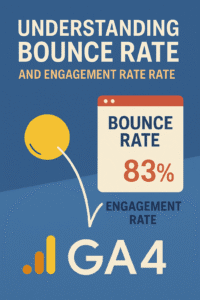
With Google’s focus on user experience signals such as Core Web Vitals, traditional abandonment metrics are evolving into a broader measurement of interaction. In fact, Google Analytics 4 (GA4) now uses Engagement Rate instead of older metrics as the default.
This doesn’t mean those classic measures are obsolete—they still provide critical insights when analyzed alongside modern engagement data. In the future, we can expect:
AI-driven analytics to predict user behavior.
More emphasis on time on page and interaction depth.
Integration with voice search and mobile-first experiences.
Smart website owners will adapt by looking beyond raw numbers and focusing on overall user satisfaction and conversion goals.
Conclusion: Turning Bounce Rate Into an SEO Advantage
While Bounce Rate may sound like a scary metric, it’s actually an opportunity to improve your website. By understanding why visitors leave, you can make targeted changes that not only reduce Bounce Rate but also increase engagement, conversions, and rankings. Focus on fast loading times, valuable content, smooth navigation, and mobile-friendly design—and watch your website performance improve dramatically.
FAQs About Bounce Rate
Q1: What is a good Bounce Rate?
A good Bounce Rate varies by industry but generally falls between 40%–60%.
Q2: Does Bounce Rate affect Google rankings directly?
Not directly, but it signals engagement quality, which impacts SEO indirectly.
Q3: Can videos help reduce Bounce Rate?
Yes, videos increase time spent on a page, lowering Bounce Rate significantly.
Q4: How often should I monitor Bounce Rate?
At least once a month, alongside other metrics like average session duration.
Q5: Is a high Bounce Rate always bad?
Not always—if the page delivers immediate value (e.g., contact info), it may be fine.
Q6: Which tool is best for measuring Bounce Rate?
Google Analytics remains the most accurate and widely used tool.